LEXIDICTATE

LEXI APPS / LEXIDICTATE

Speak. Polish. Paste.

Hold one key to dictate into any Windows text box in ~0.5 seconds — or highlight any message and translate it on the spot with Alt + Q. 100% freeware, your own Gemini key.

0.5s live voice — Alt + Q translate — 100% free

WINDOWS 10 & 11 (64-BIT)

Two tools, one whisper-quiet app.

01Voice Dictation

Sub-Second Live Dictation

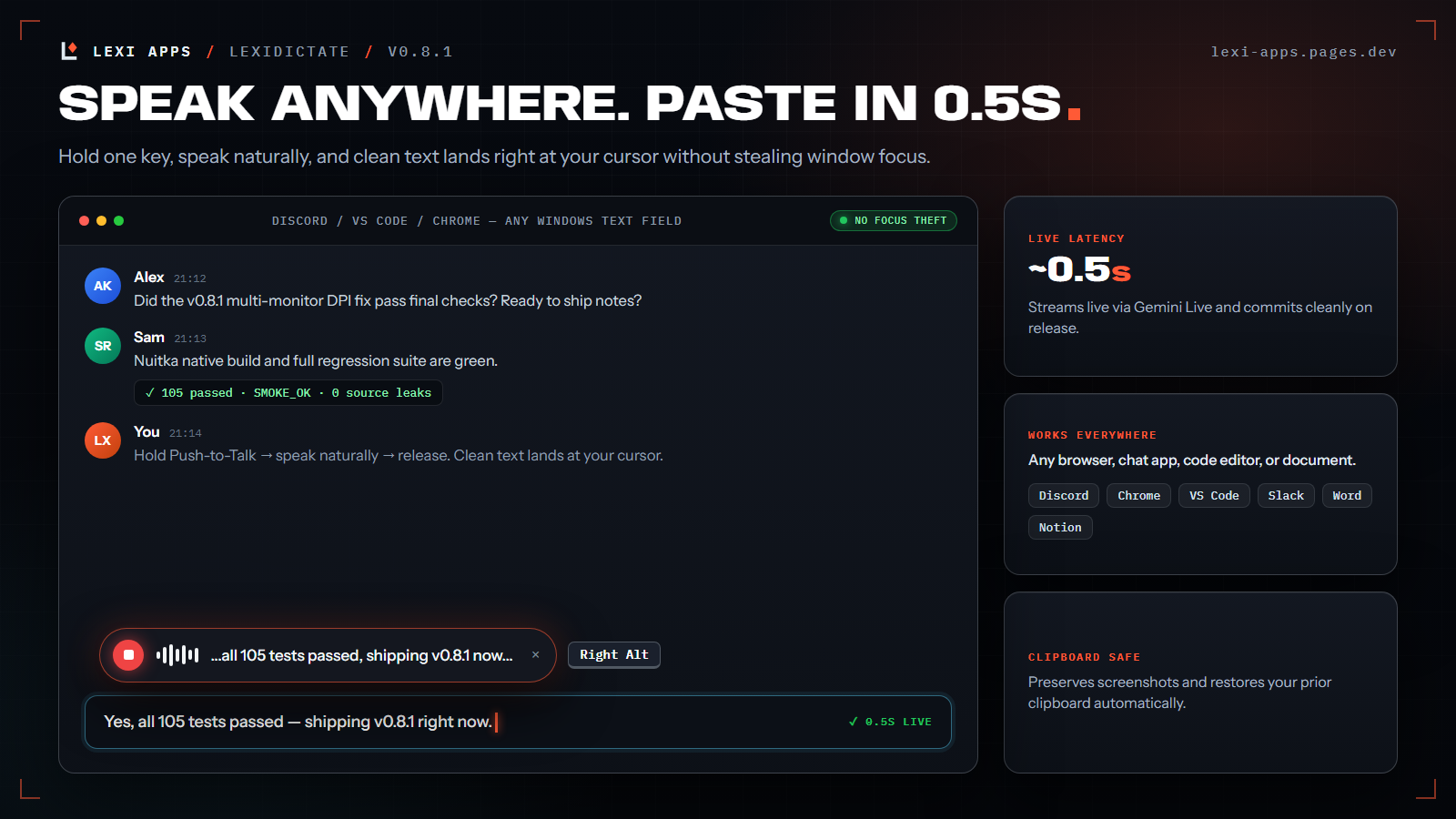
Hold Right Alt, speak naturally, and release. Clean text lands straight at your cursor across browsers, chat apps, and code editors.

Installer
LexiDictate Setup (.exe)
Speed
~0.5s live paste + optional full-audio verify.
Modes
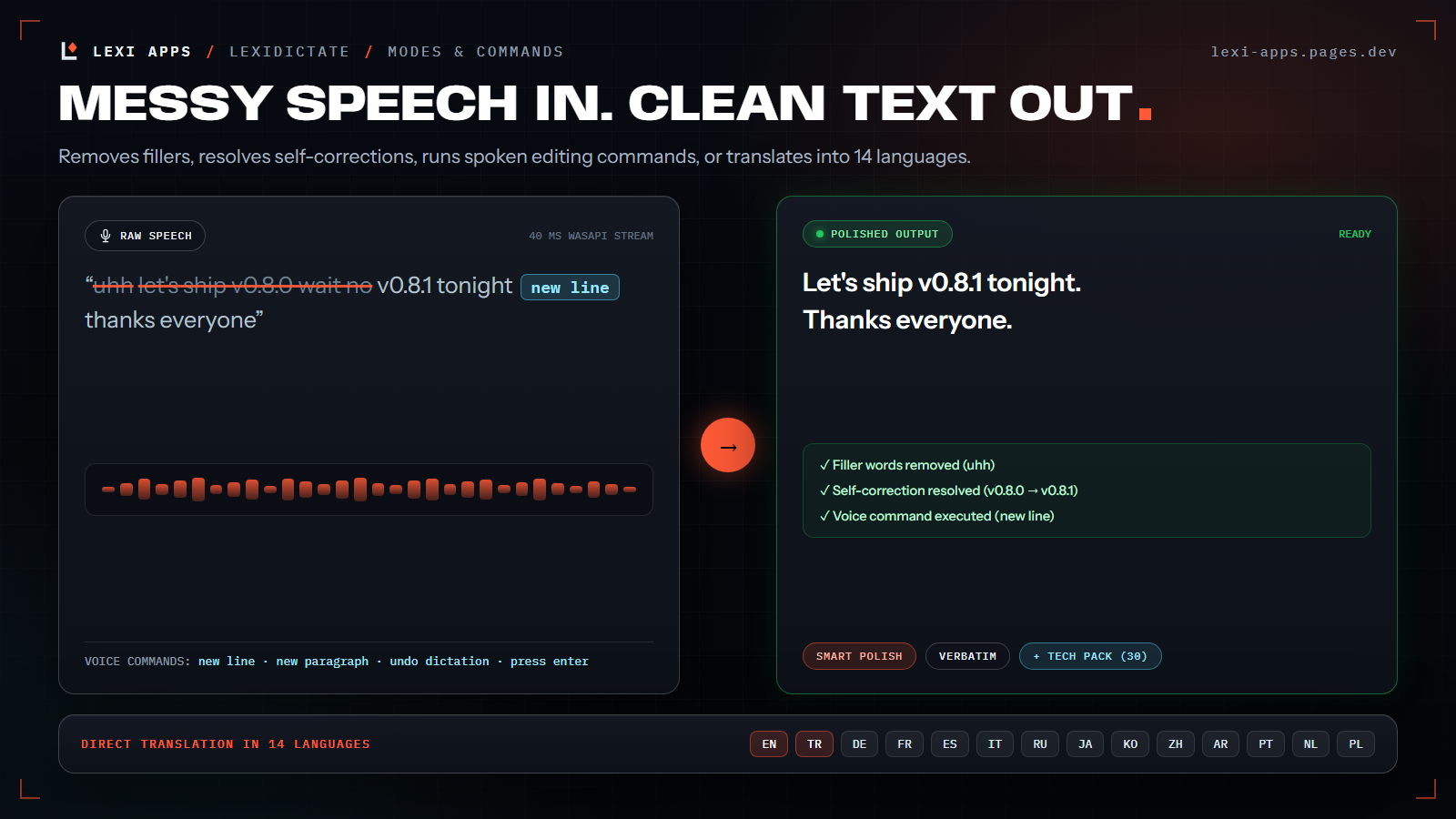
Smart Polish, Verbatim, Voice Commands, 14 Languages.
02Alt + Q · Pool · Game Mode

Selection Translate & Smart Guards

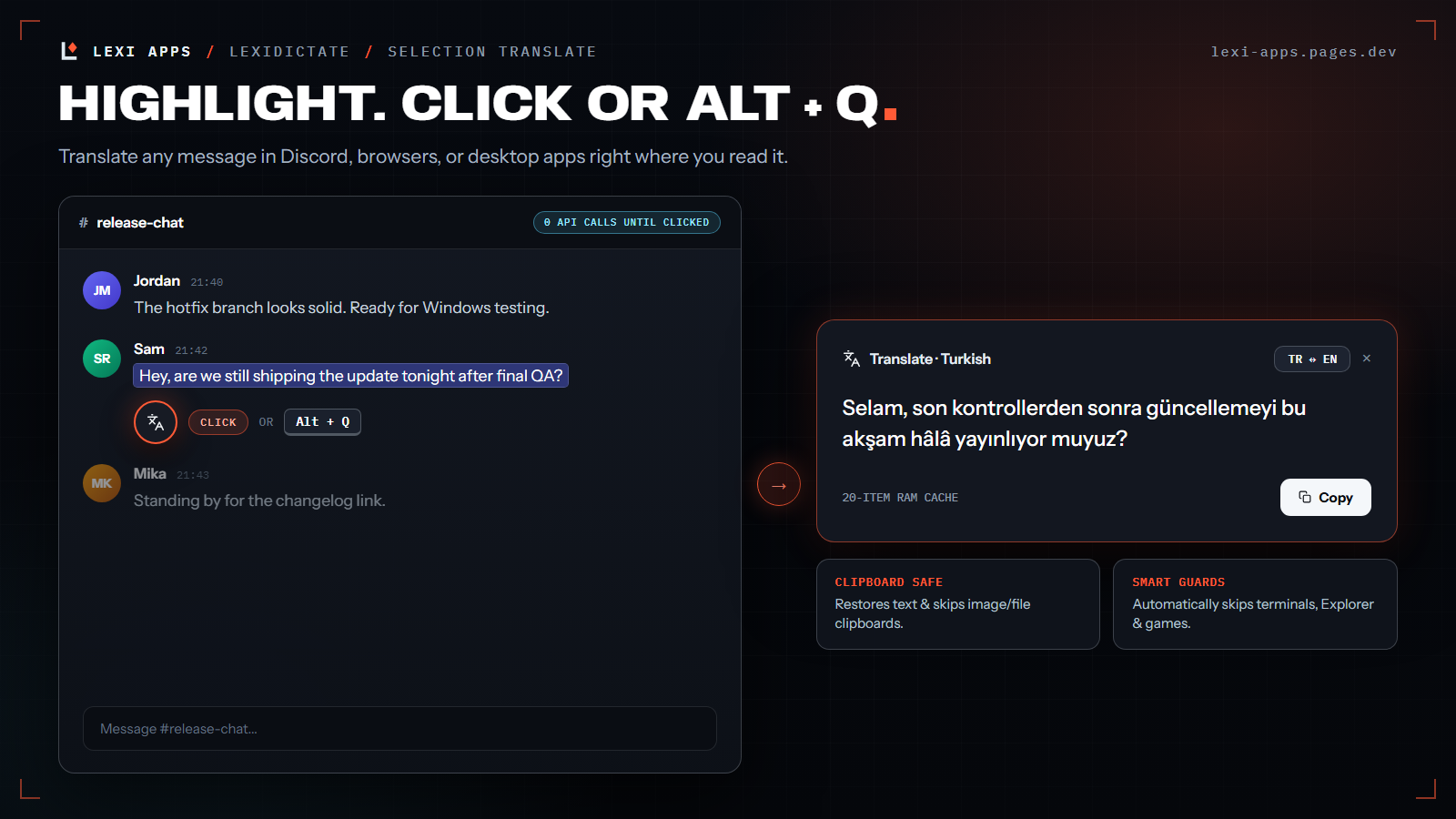
Highlight text anywhere for a tiny translate icon or press Alt + Q. Includes multi-key 429 failover and Game Mode auto-pause.

Price
100% Freeware. No ads, no account.
Game Mode
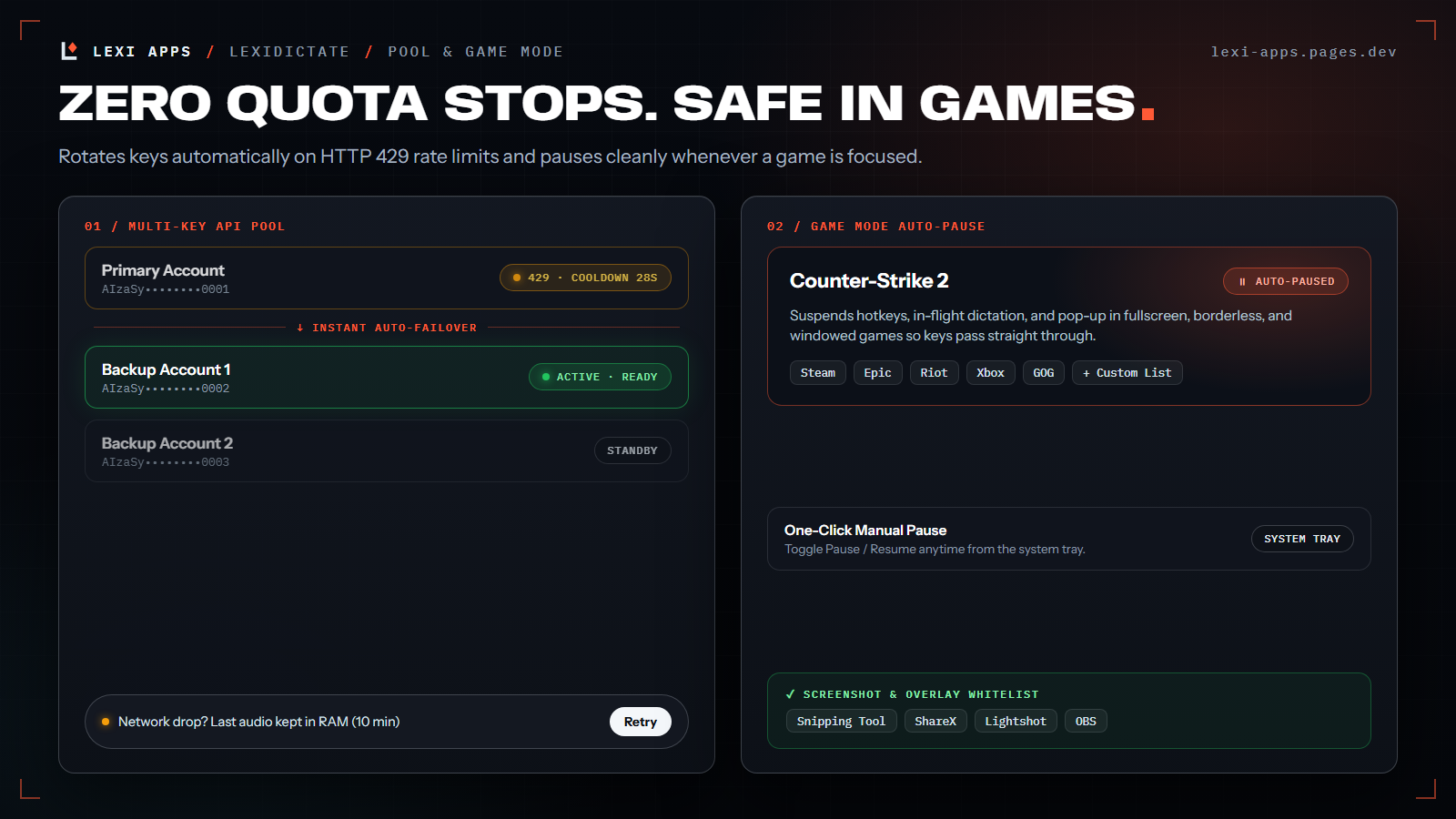
Auto-pauses in games, whitelists screenshot tools.
Privacy
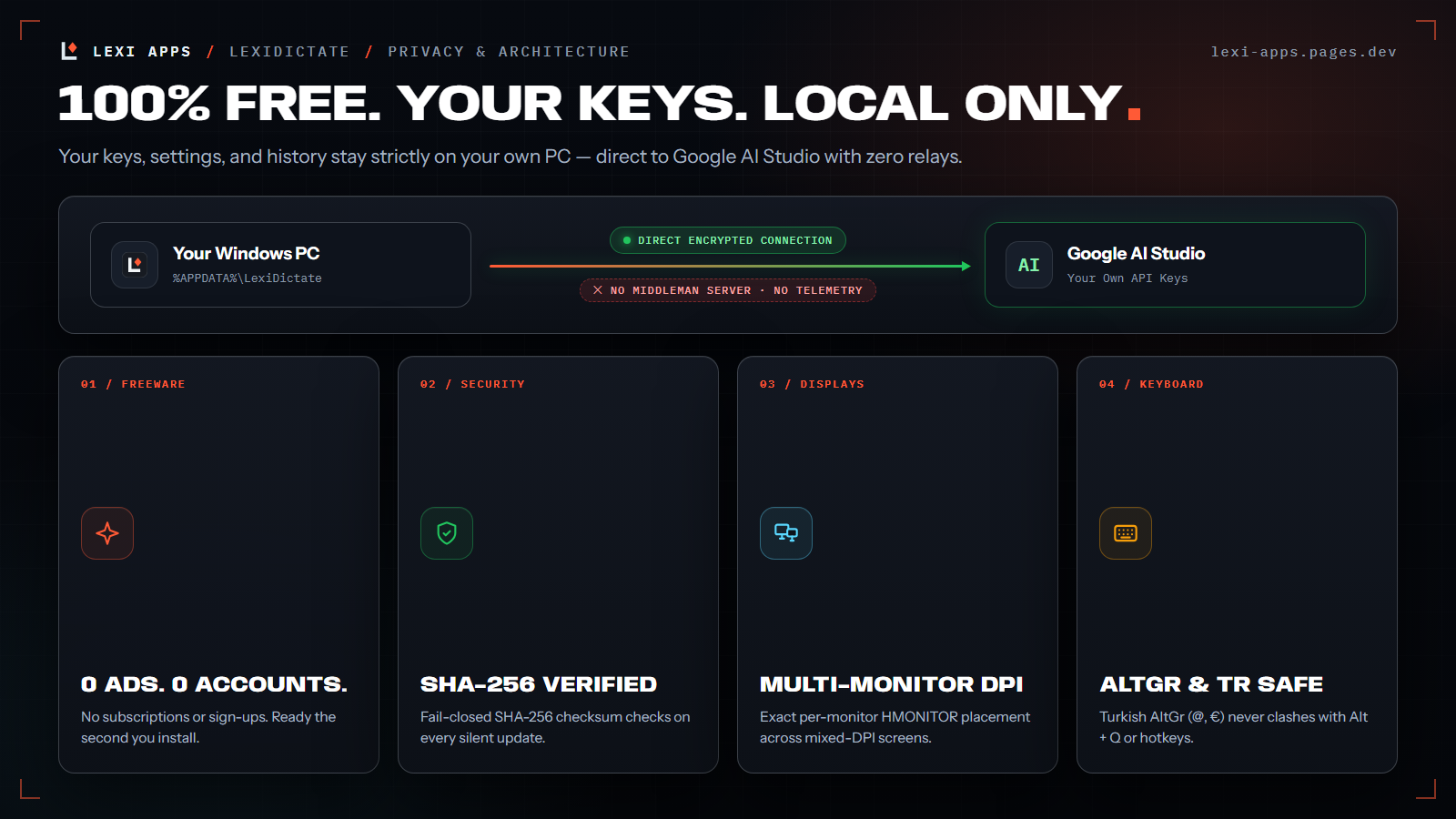
Direct to Google AI Studio. Local config only. Read the full privacy policy

01 / VISUAL SHOWCASE / CLICK ANY CARD TO ZOOM

See it in action.

Five quick snapshots showing how LexiDictate works across your desktop — no wall of text required.

31-second interactive showcase — live dictation, Alt + Q selection translate, 429 failover, Game Mode & themes.

30-second setup

  1. Install & paste key

    Run the installer and paste your free Google AI Studio key under API Key Pool.

  2. Hold & speak

    Click any text field, hold Right Alt (or any key/mouse button), and speak normally.

  3. Release — done

    Clean text lands at your cursor in ~0.5s. Or highlight any text and hit Alt + Q to translate.

Inside the app

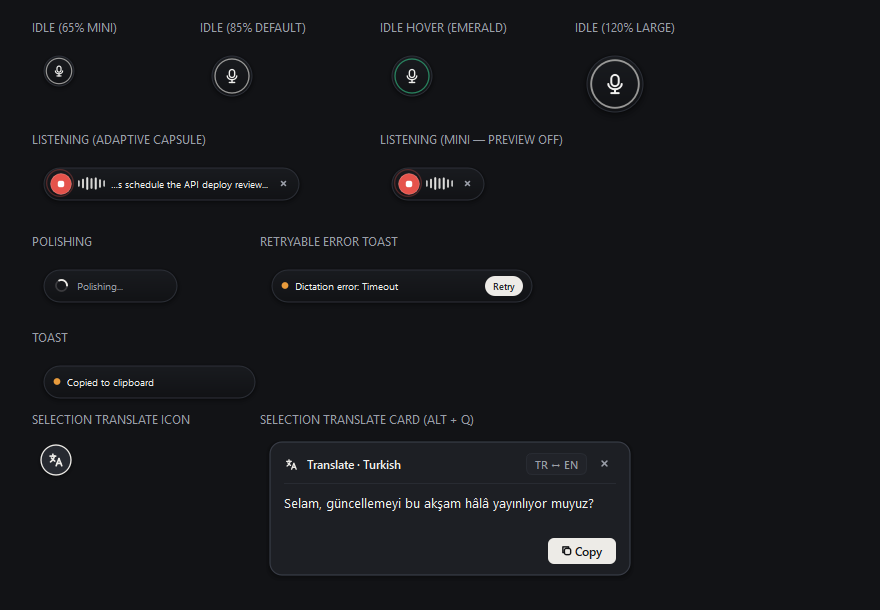
LexiDictate Floating Pop-up and Selection Translate States
Fig. 01 / 05 65%–120% floating capsule, Retry error toast, Selection Translate icon & Alt + Q card.
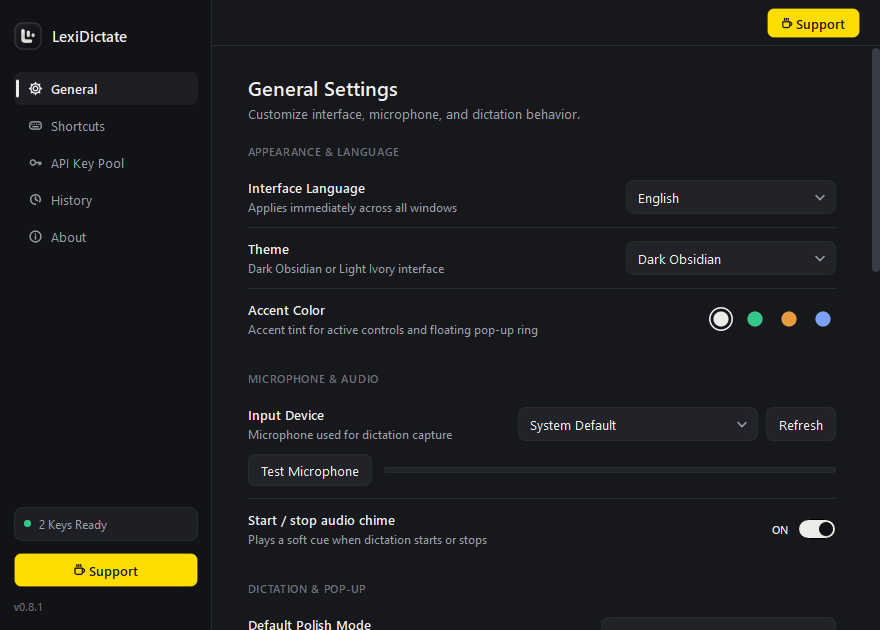
LexiDictate General settings window
Fig. 02 / 05 Microphone, pop-up sizing, language hints, voice commands & selection translate controls.
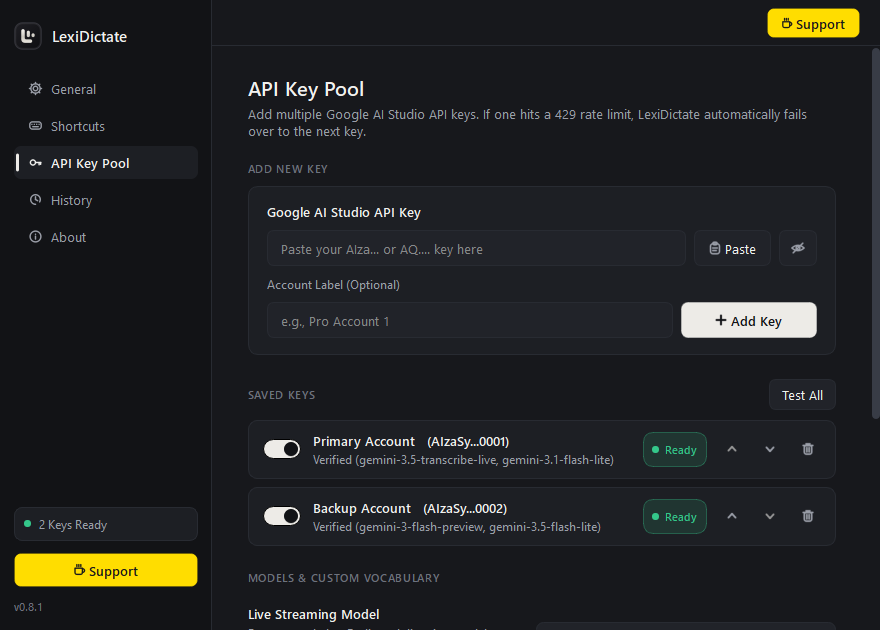
LexiDictate API Key Pool and Model Presets
Fig. 03 / 05 Multi-key 429 rotation, curated Gemini Live & Flash models, and + Tech Pack (30) vocabulary.
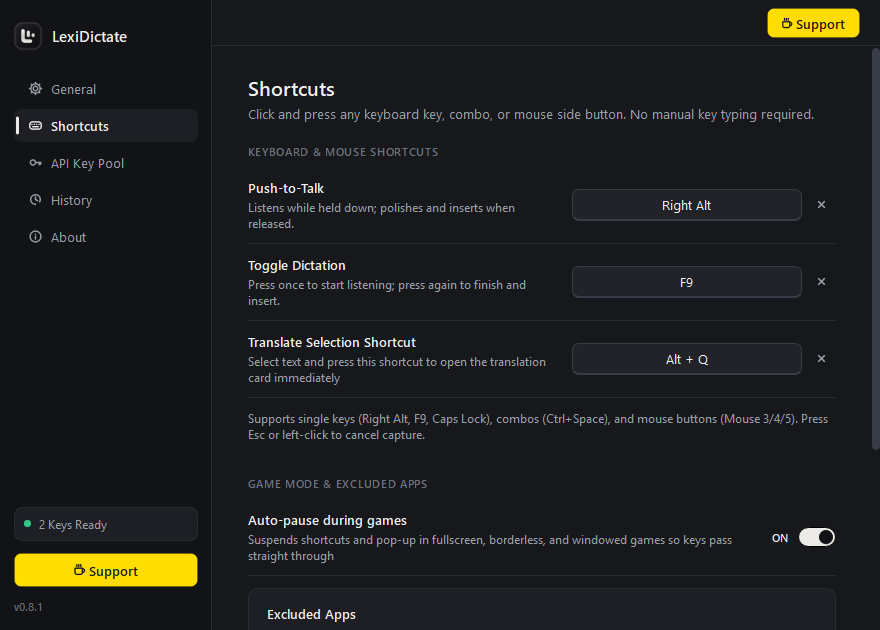
LexiDictate Shortcuts and Game Mode
Fig. 04 / 05 One-click key or mouse button bindings, Turkish AltGr safety & Game Mode auto-pause.
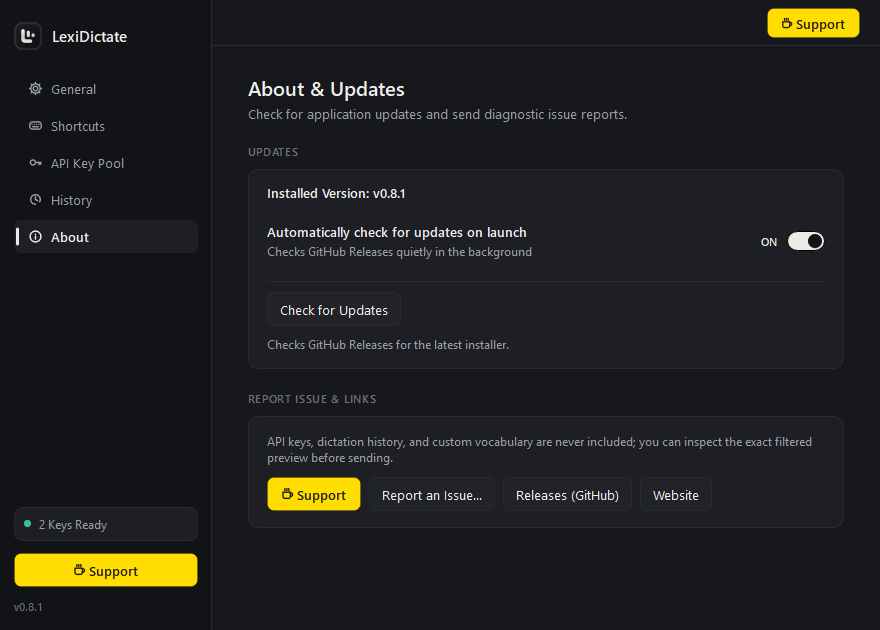
LexiDictate About and Updates
Fig. 05 / 05 Fail-closed SHA-256 silent updater and privacy-redacted issue reporter.

Quick specs

Models
Gemini Live streaming + fast Flash polish & 14-language translation.
Displays
Exact per-monitor HMONITOR mixed-DPI placement & 65%–120% capsule.
Commands
new line, new paragraph, undo dictation, press enter, select all (TR & EN).
Recovery
One-click RAM-only Retry (15 MB cap, auto-clears after 10 min).
Safety
Turkish AltGr safe, Win+V/image clipboard safe, Game Mode auto-pause.
Updates
SHA-256 verified silent updater & redacted local bug reports.

System requirements

Operating system
Windows 10 or 11, 64-bit.
Internet
Required. Speech and translation are processed by Google AI Studio (Gemini).
API key
Your own Google AI Studio API key.
Microphone
A working microphone for voice dictation.

Download on GitHub

02 / SUPPORT & CONTACT

Freeware, backed by you.

  • 100% freeware — no subscriptions, ads, or middleman servers.
  • Enjoying LexiDictate? Support ongoing updates on Buy Me a Coffee or Patreon.
  • Questions or bugs: [email protected] or About → Report an Issue.

FAQ / LEXIDICTATE

Short answers.

Is LexiDictate really free?

Yes — 100% freeware with no ads, accounts, or paid tiers. You just bring your own free Google AI Studio key.

Does selection translation burn quota automatically?

No. Highlighting text sends zero API calls until you click the icon or press Alt + Q, and the last 20 translations stay cached in RAM.

Does it interfere with games or Turkish AltGr keys?

No. Game Mode auto-pauses hotkeys and active dictation in fullscreen, borderless, and windowed games, and AltGr + Q (@) passes through cleanly.

Does LexiDictate upload my history or keys?

Never. Audio goes directly to Google AI Studio only while you hold your key; everything else stays local in %APPDATA%\LexiDictate. Read the full privacy policy.