LEXI GAME TRANSLATOR

LEXI APPS / GAME TRANSLATOR / 18 ENGINES

Point. Choose. Translate.

Lexi Game Translator brings 18 game engines into your language — from Ren'Py and RPG Maker to Unity, Unreal, and Godot — with Autopilot setup and automatic backups.

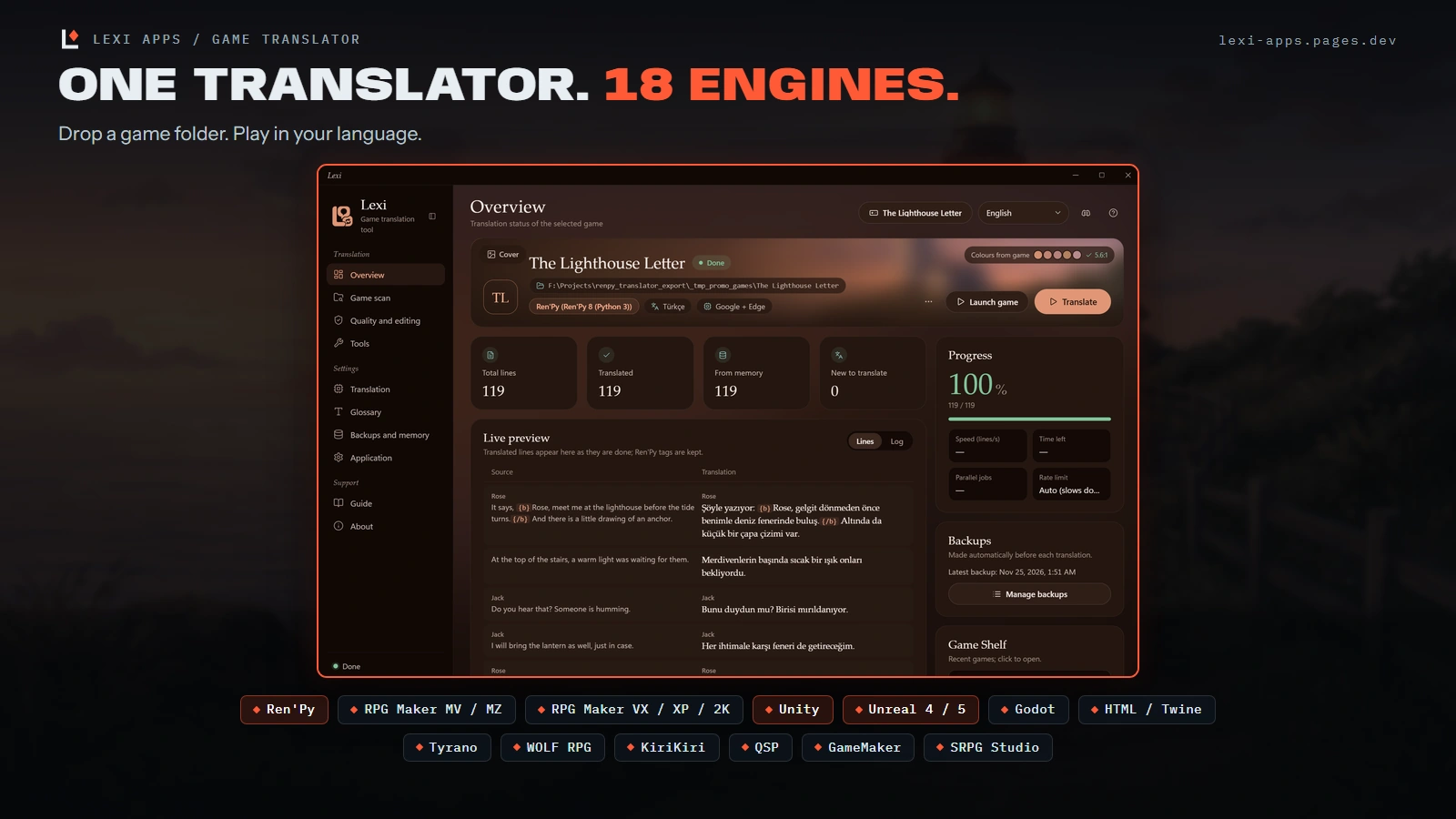
One translator — 18 engines — your language

LEXI GAME TRANSLATOR / WINDOWS 10 & 11 (64-BIT)

Start free, upgrade for AI.

01Basic (Free) · 18 Engines

Basic — Free Machine Engines

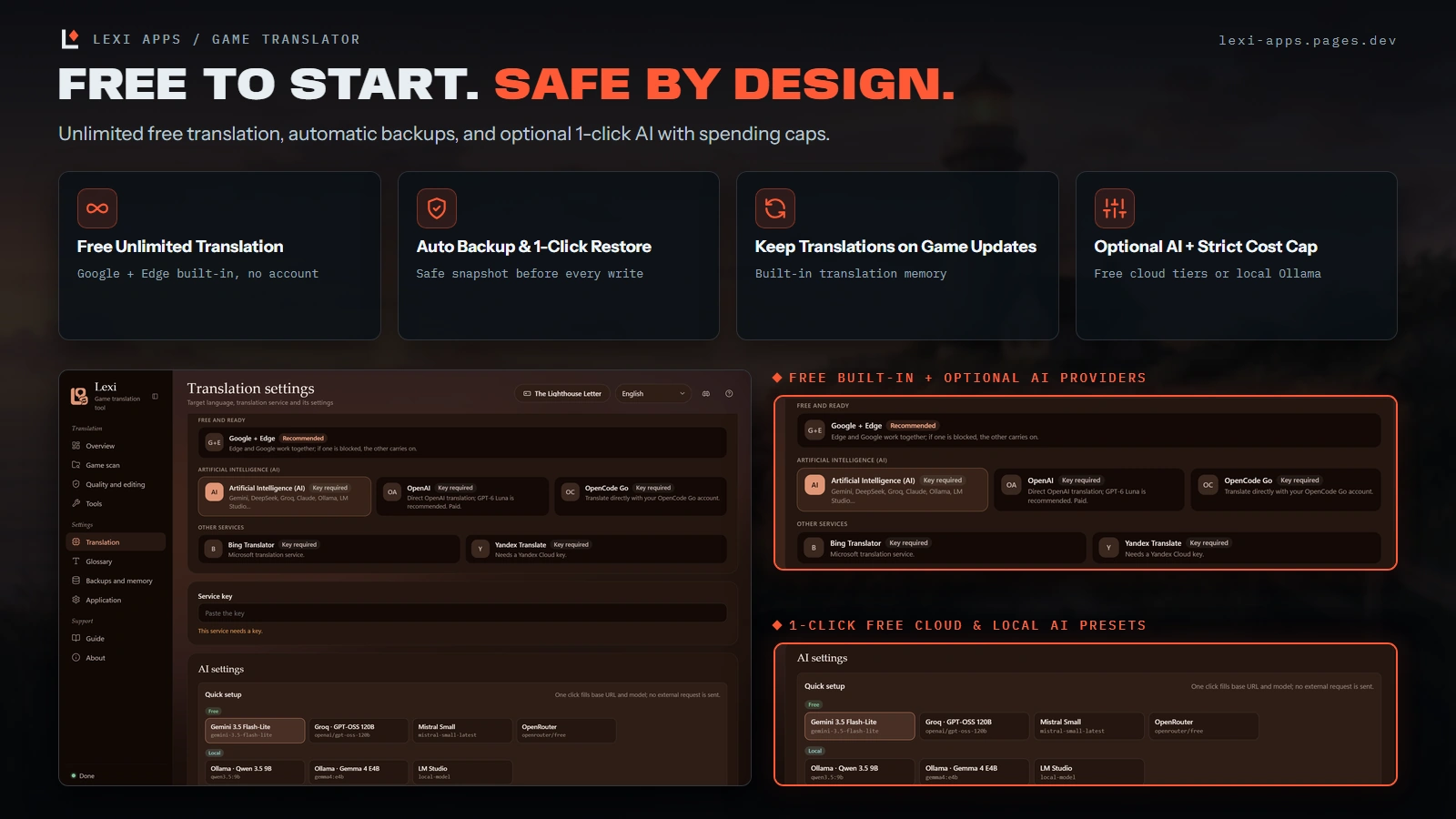
Translate across all 18 game engines using Google, Edge, Bing, Yandex, and an automatic free fallback chain. No account or sign-in required.

Price
Free. No account, no sign-in.
Engines
18 game engines with Autopilot & Live Bridge.
Protection
Auto backups, character names, tags & font patch.
Interface
12 interface languages (including right-to-left Arabic), dark & light themes.
02Plus & Pro · Patreon

Plus & Pro — AI Translation

Unlock cloud and local AI translation with your own API key in Plus ($7 / month) — including 1-click presets for Gemini, Groq, Mistral, OpenRouter, OpenAI, Claude, DeepSeek, and Ollama — or Pro ($12 / month, Lexi credits coming soon).

PLUS
$7 / month. Everything in Basic + your own AI key & cost cap.
PRO
$12 / month. Everything in Plus + credits (soon).
Trial
Optional 3-day Plus trial available once per computer.
License
One license = one computer.

01 / LEXI GAME TRANSLATOR / WORKFLOW & SHOWCASE

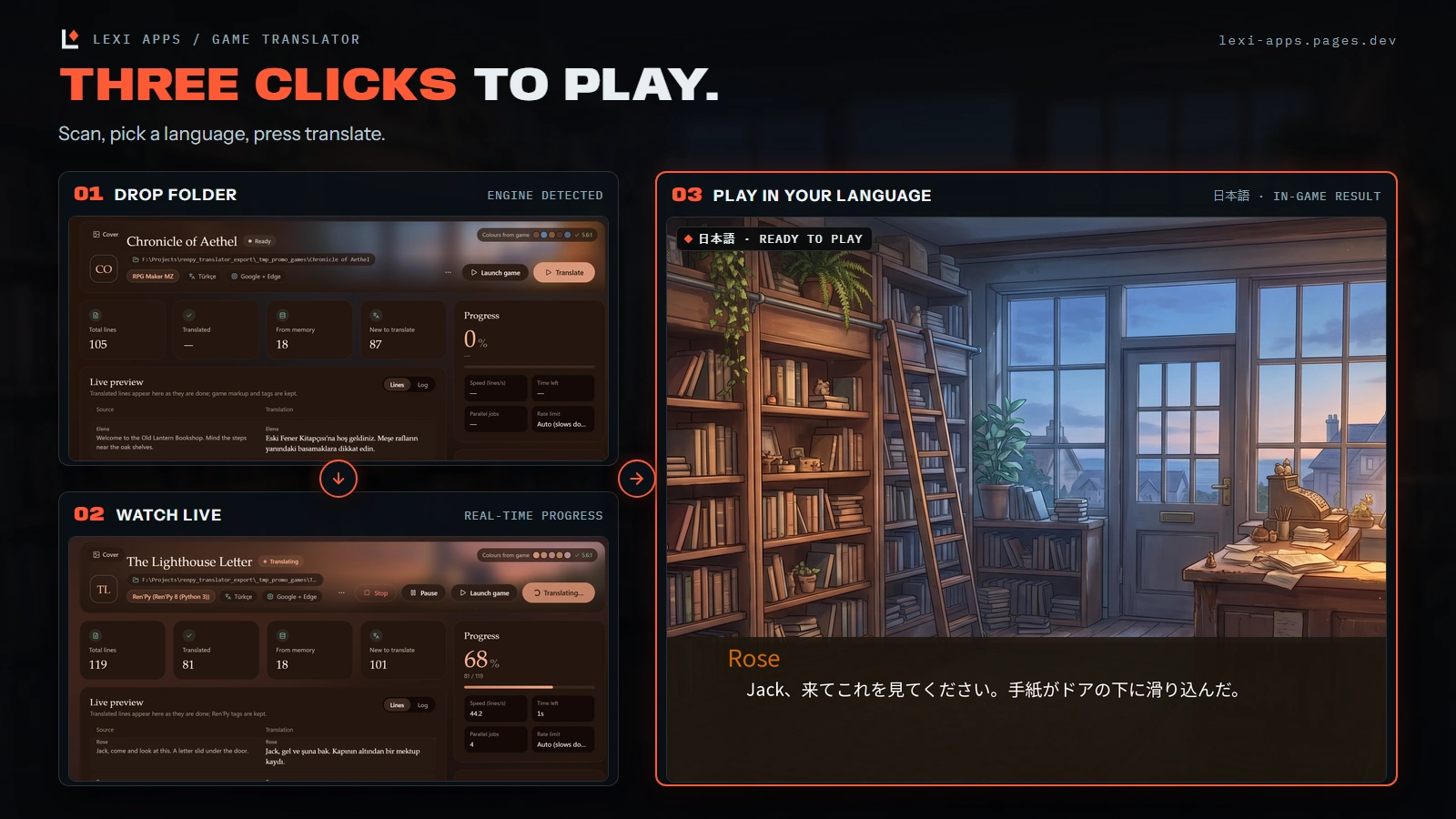
Three clicks to play.

Drop any supported game folder. Lexi detects the engine, configures Autopilot & font patches where needed, backs up first, and translates with full resume support.

How it works

  1. Drop the game folder

    Lexi auto-detects 18 engines — Ren'Py, RPG Maker 2000–MZ, Unity, Unreal 4/5, Godot 3/4, Tyrano, WOLF RPG, KiriKiri, QSP, HTML/Twine, GameMaker, and SRPG Studio.

  2. Choose language & engine

    Use free built-in machine translation in Basic, or connect your own cloud/local AI key in Plus. Autopilot sets up Unity & Unreal bridges and patches fonts automatically.

  3. Translate & play

    A backup is created before writing. Character names and tags stay protected, interrupted runs resume from the exact line, and you can launch straight from the Game Shelf.

See it in action

18 engines, Autopilot & Live Bridge, Auto Font Patch, Name Protection, and 12 UI languages.

Before & after — drag to compare

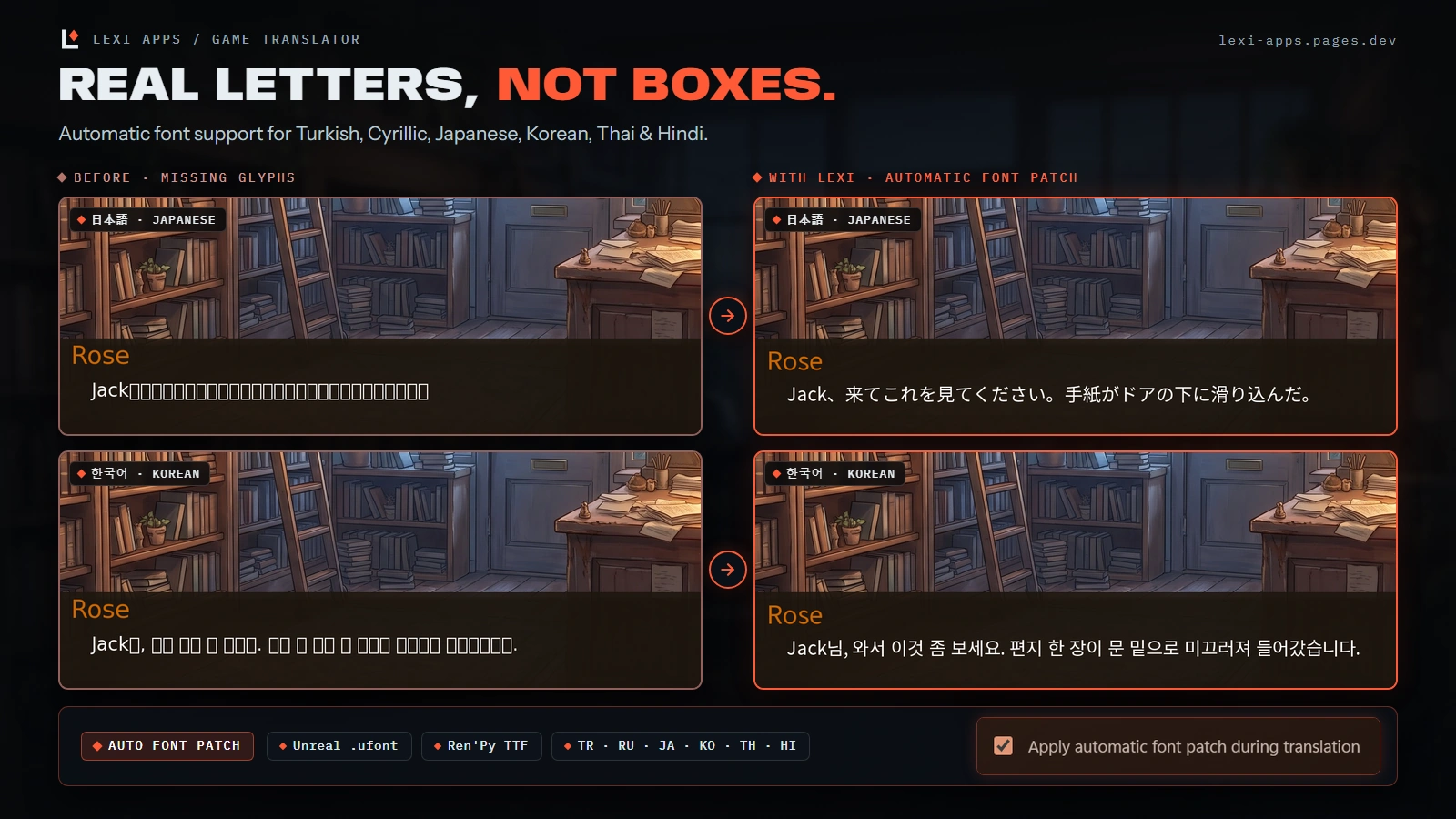
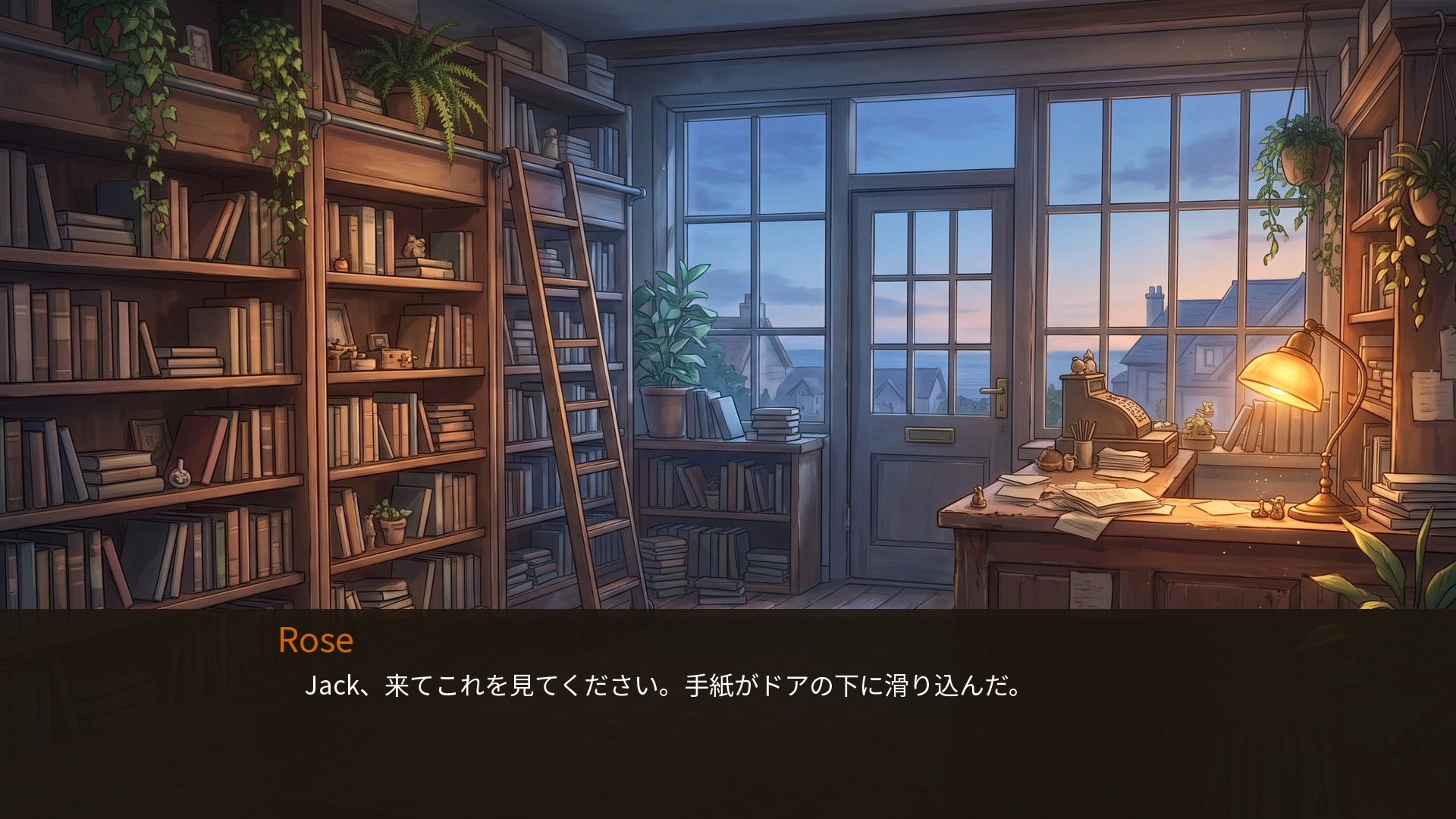
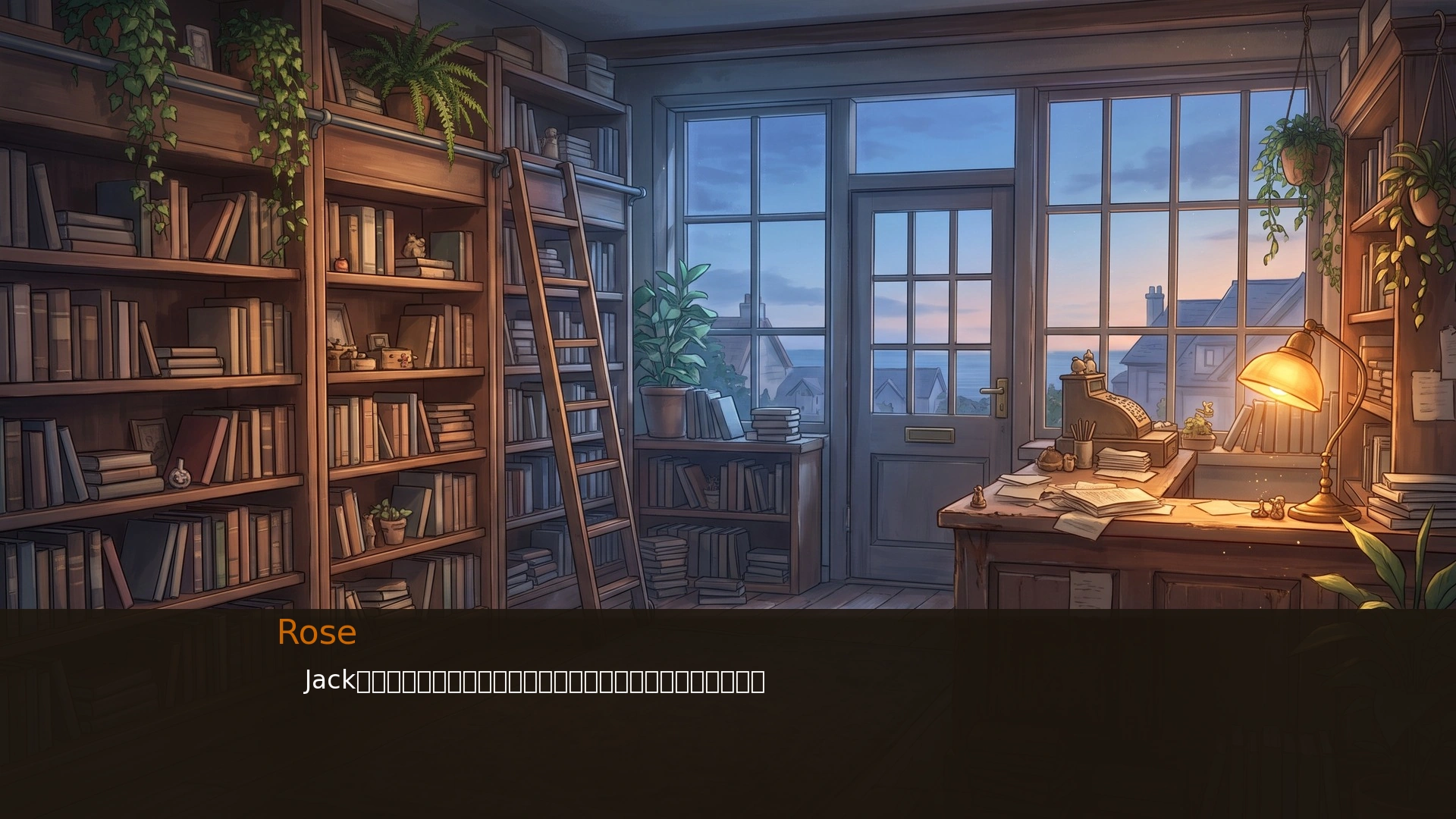
Japanese dialogue rendered cleanly with Lexi Auto Font Patch Japanese dialogue showing empty boxes without font patch

Click and drag across the image (or use arrow keys) — full 1920×1080 in-game captures.

Feature showcase — click any card to enlarge

One translator, 18 supported game engines with automatic detection Autopilot and Live Bridge for Unity and Unreal with automatic plugin and font setup Three clicks to play: drop folder, watch live progress, play in your language Real letters, not boxes: automatic font patch for Turkish, Cyrillic, Japanese, Korean, Thai, and Hindi Names stay names: character names and game tags stay protected during translation 12 app interface languages including native right-to-left Arabic UI and translation into 30+ languages Dark and high-contrast light themes, live quality check, line editor, CSV export, and 1-click patch ZIP Free to start, safe by design: unlimited free engines, automatic backups, translation memory, and optional AI with cost cap

The app, screen by screen — click image to zoom

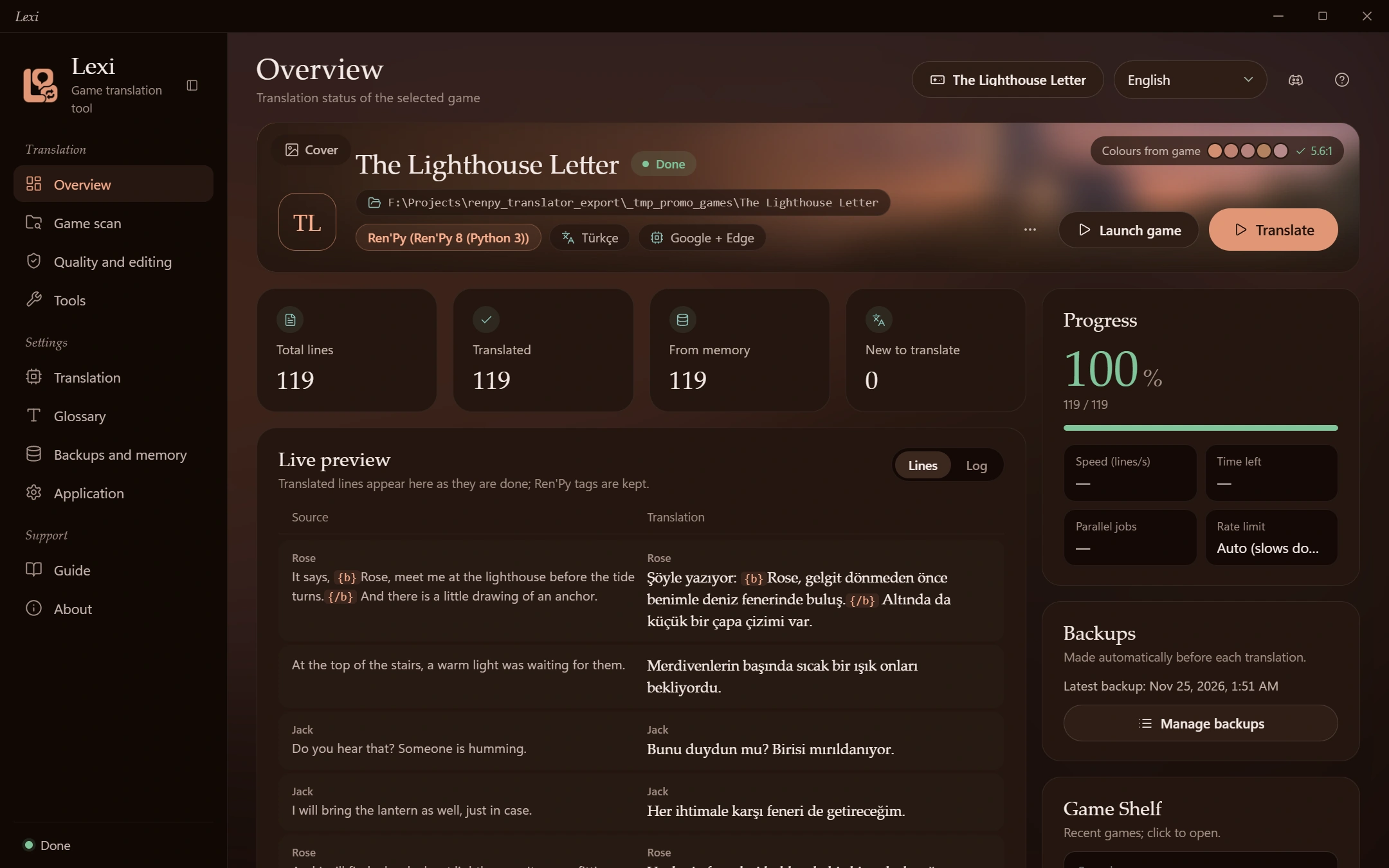
Lexi Game Translator Overview screen with live preview, backups, and Game Shelf
Fig. 01 / 08Overview — live preview, adaptive game cover, backups & Game Shelf
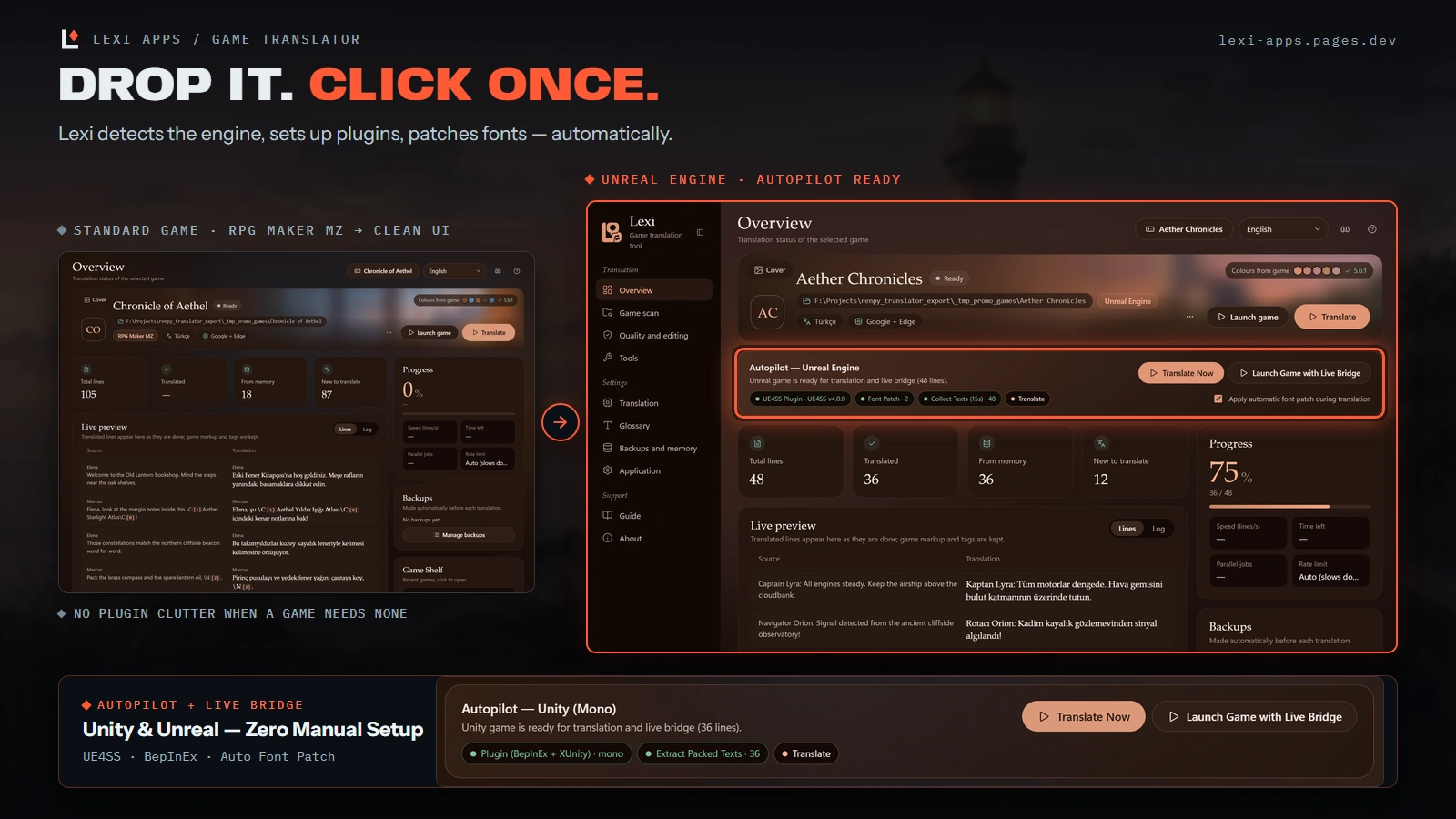
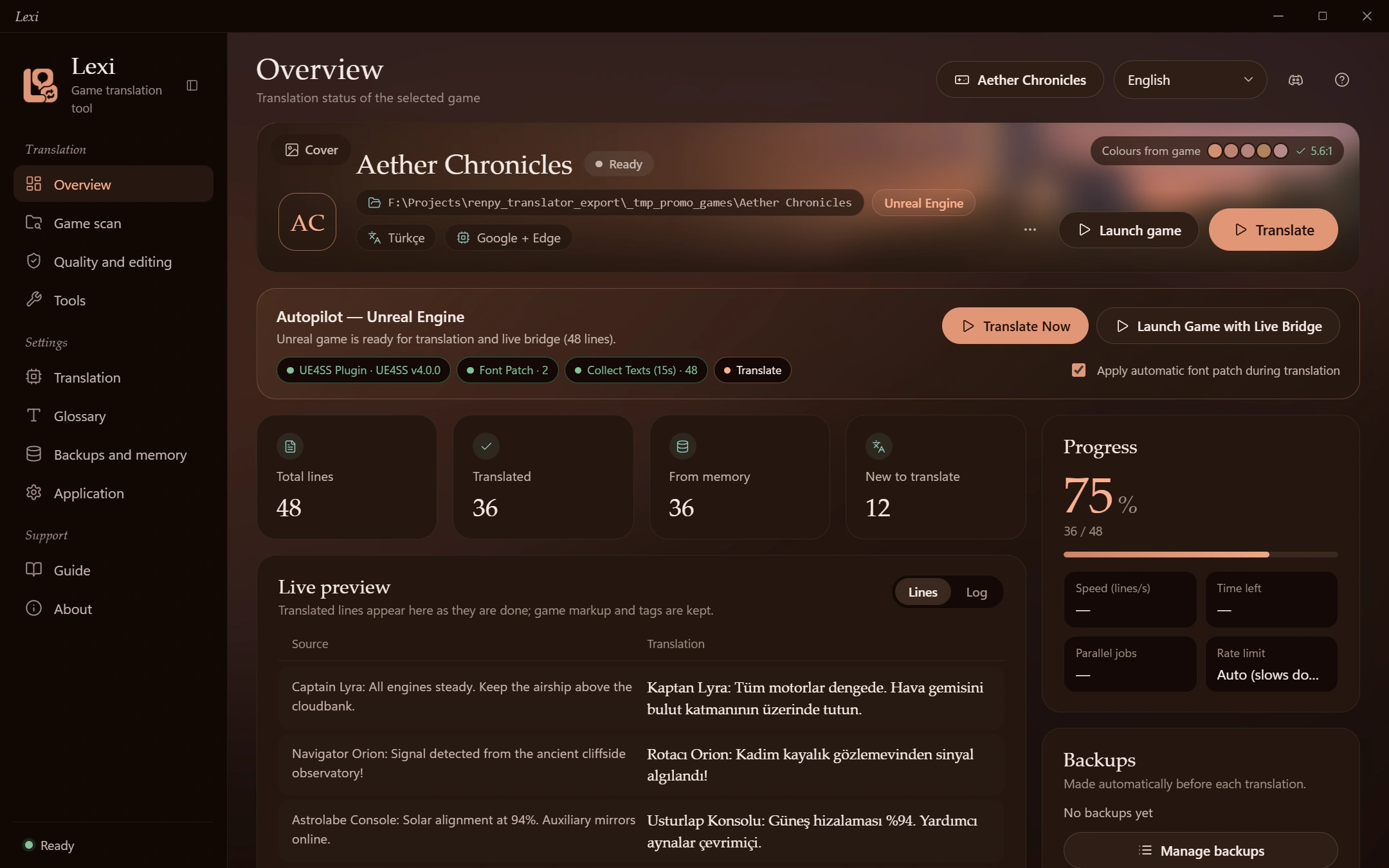
Unreal Engine Autopilot ready screen with Live Bridge and automatic font patch
Fig. 02 / 08Autopilot — Unity & Unreal setup, Live Bridge & automatic font patch
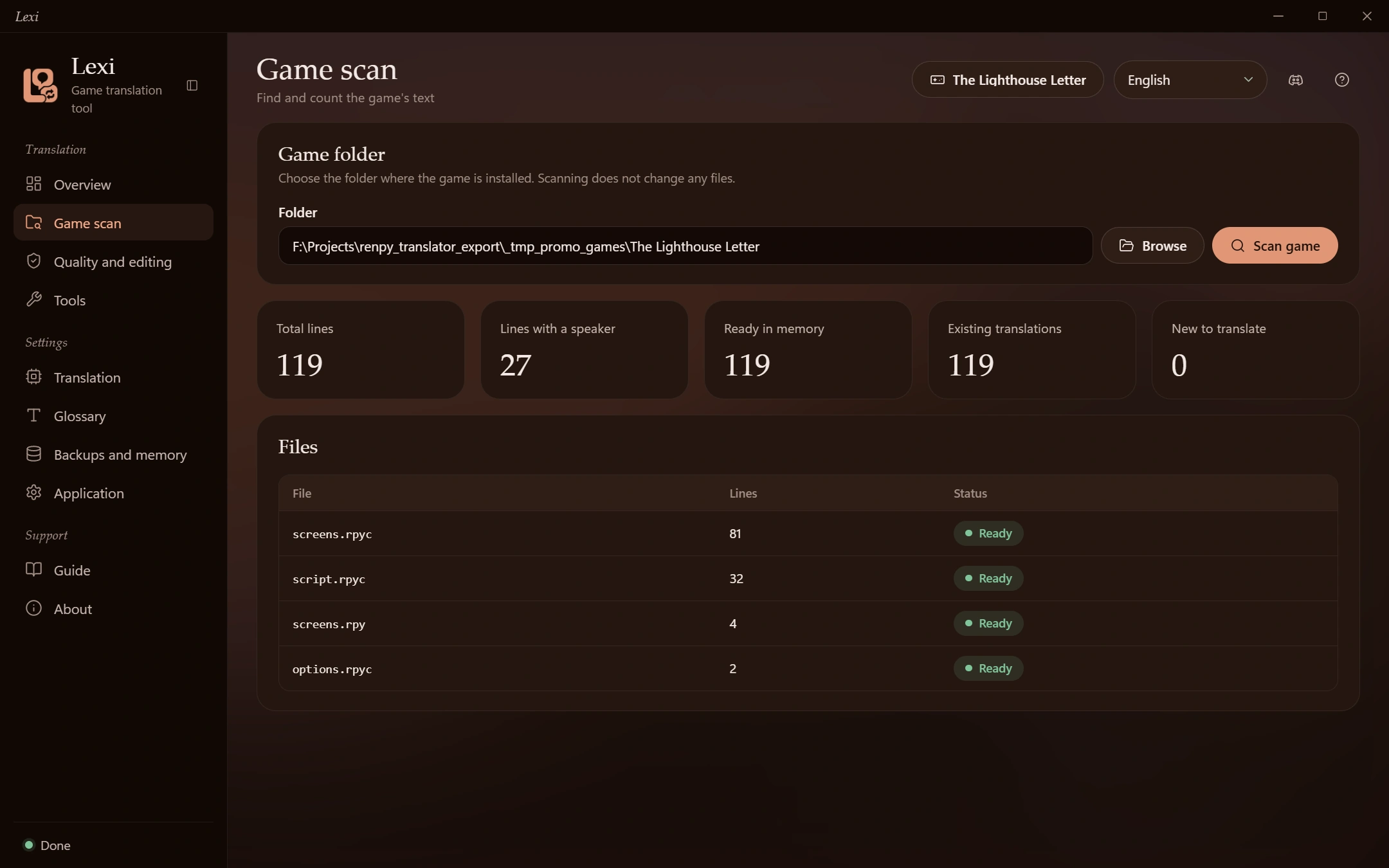
Lexi Game Translator Game scan screen showing file and line counts
Fig. 03 / 08Game scan — inspect files, speakers, and memory matches before translating
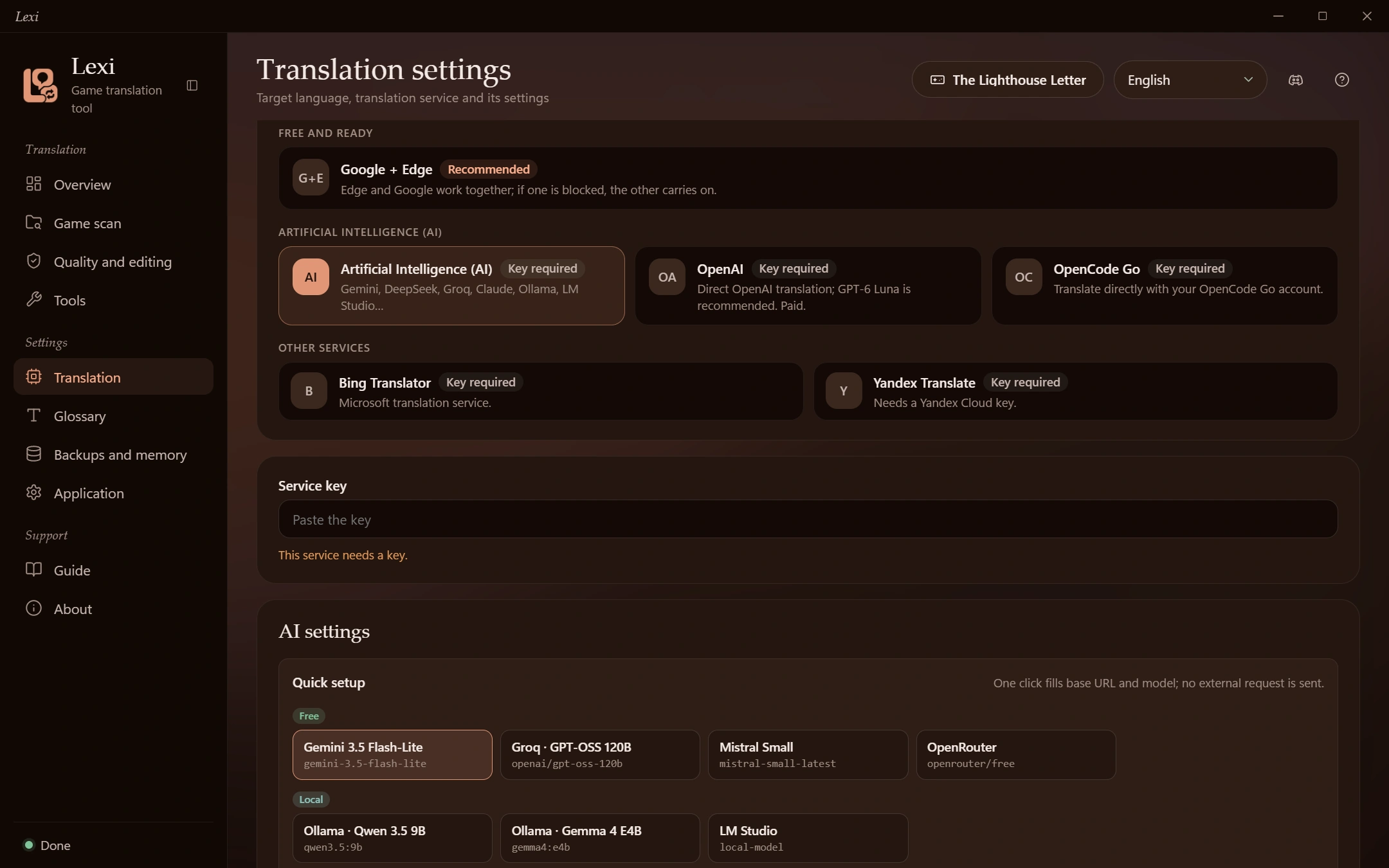
Translation settings screen showing built-in free engines and 1-click AI presets
Fig. 04 / 08Engines & AI — free built-in chain plus 1-click cloud & local AI presets
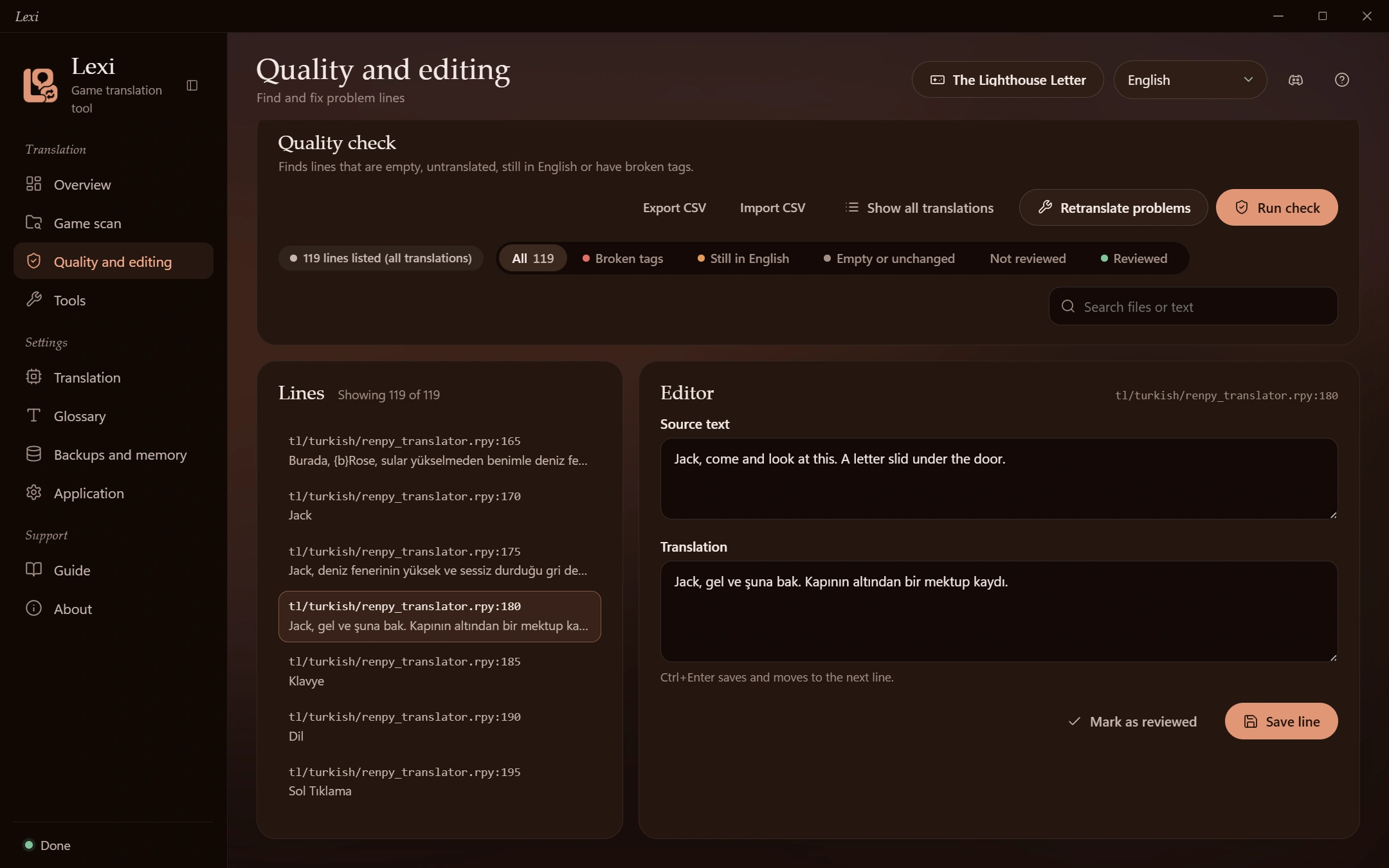
Quality check and built-in line editor with Retranslate problems and CSV import/export
Fig. 05 / 08Quality & editor — filter issues, retranslate problems, edit lines & export CSV
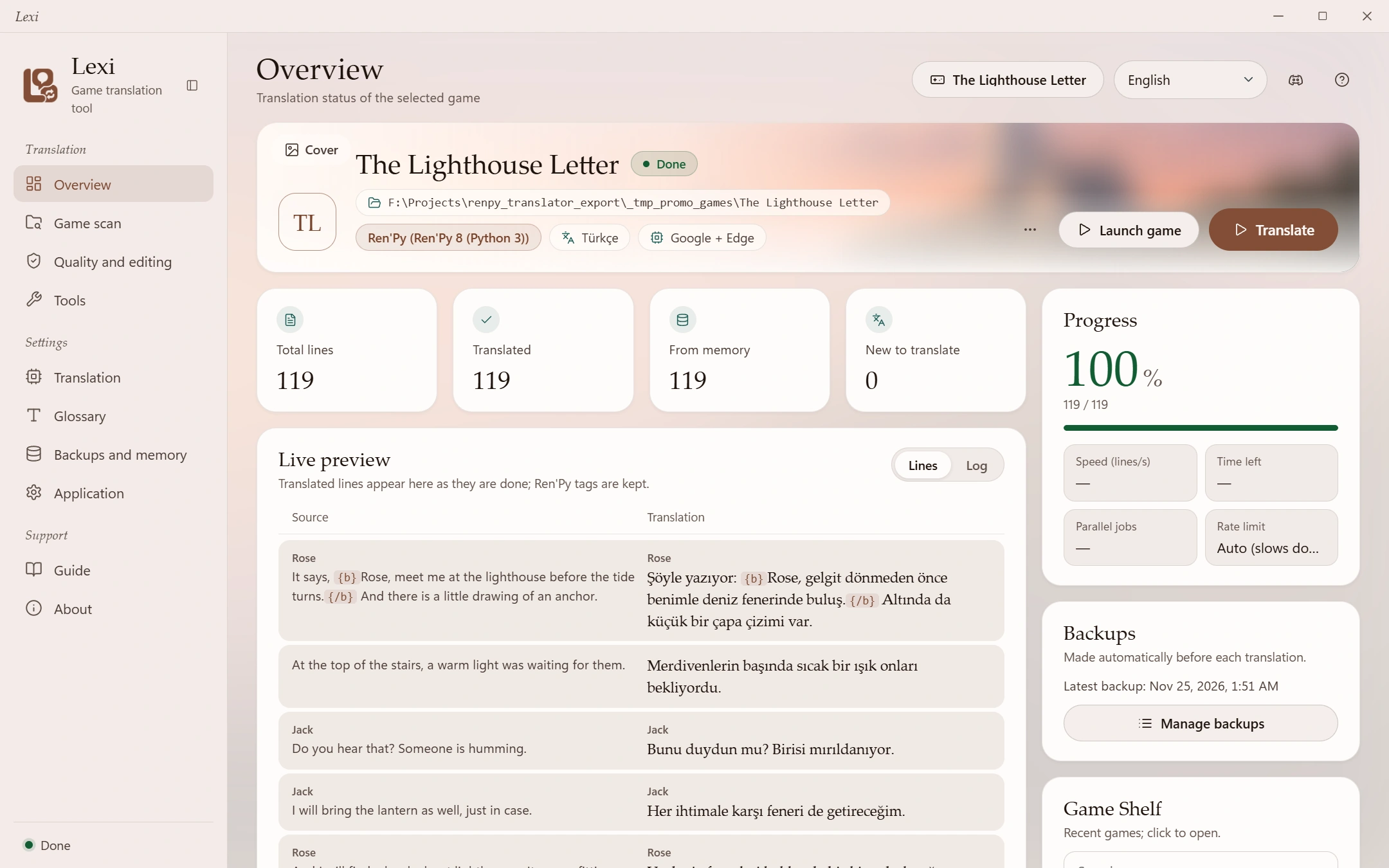
Paper Light high-contrast light theme in Lexi Game Translator
Fig. 06 / 08Themes — high-contrast light & dark themes with adaptive game-cover palettes
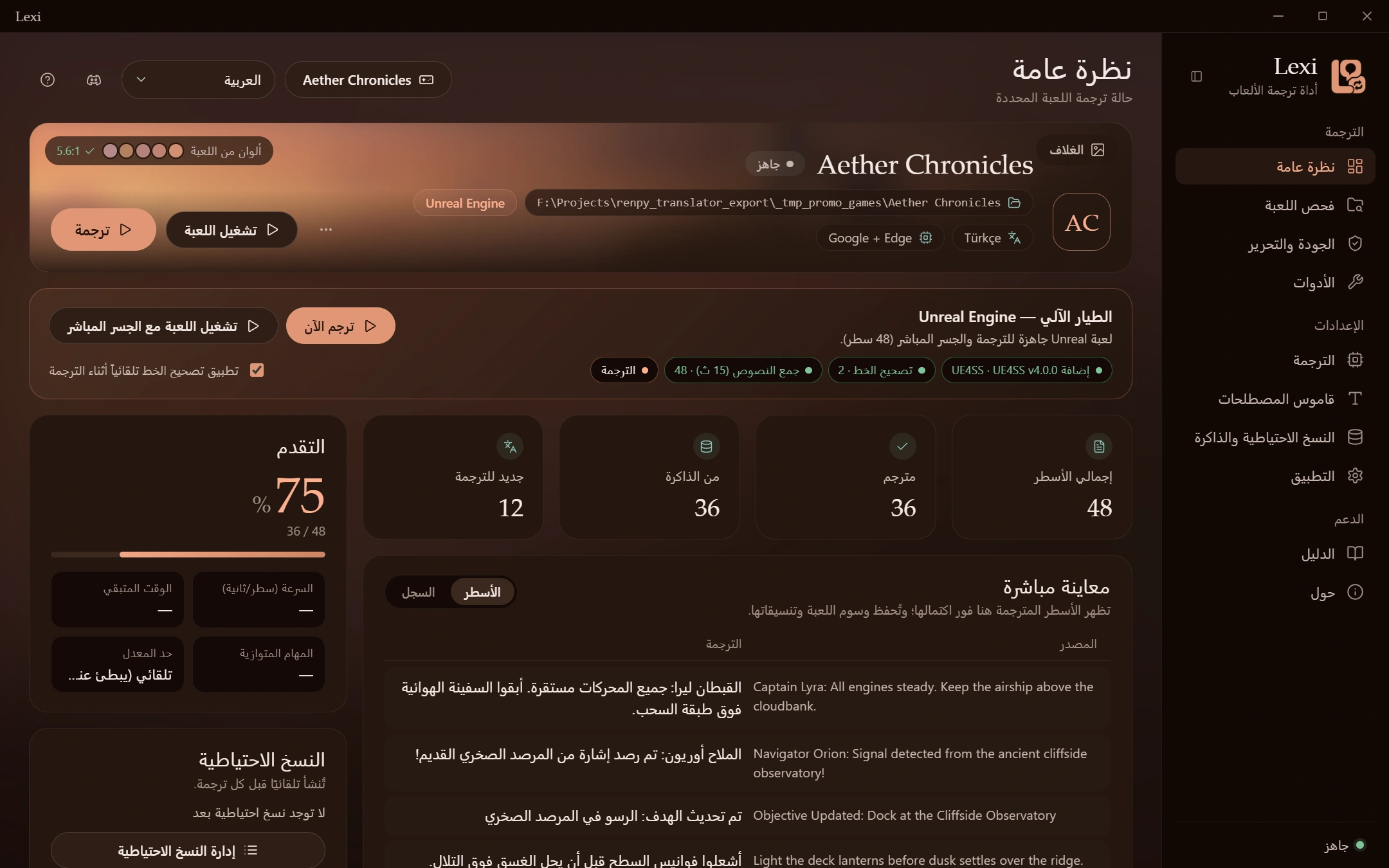
Native right-to-left Arabic interface in Lexi Game Translator
Fig. 07 / 08Arabic RTL — full native right-to-left interface among 12 built-in UI languages
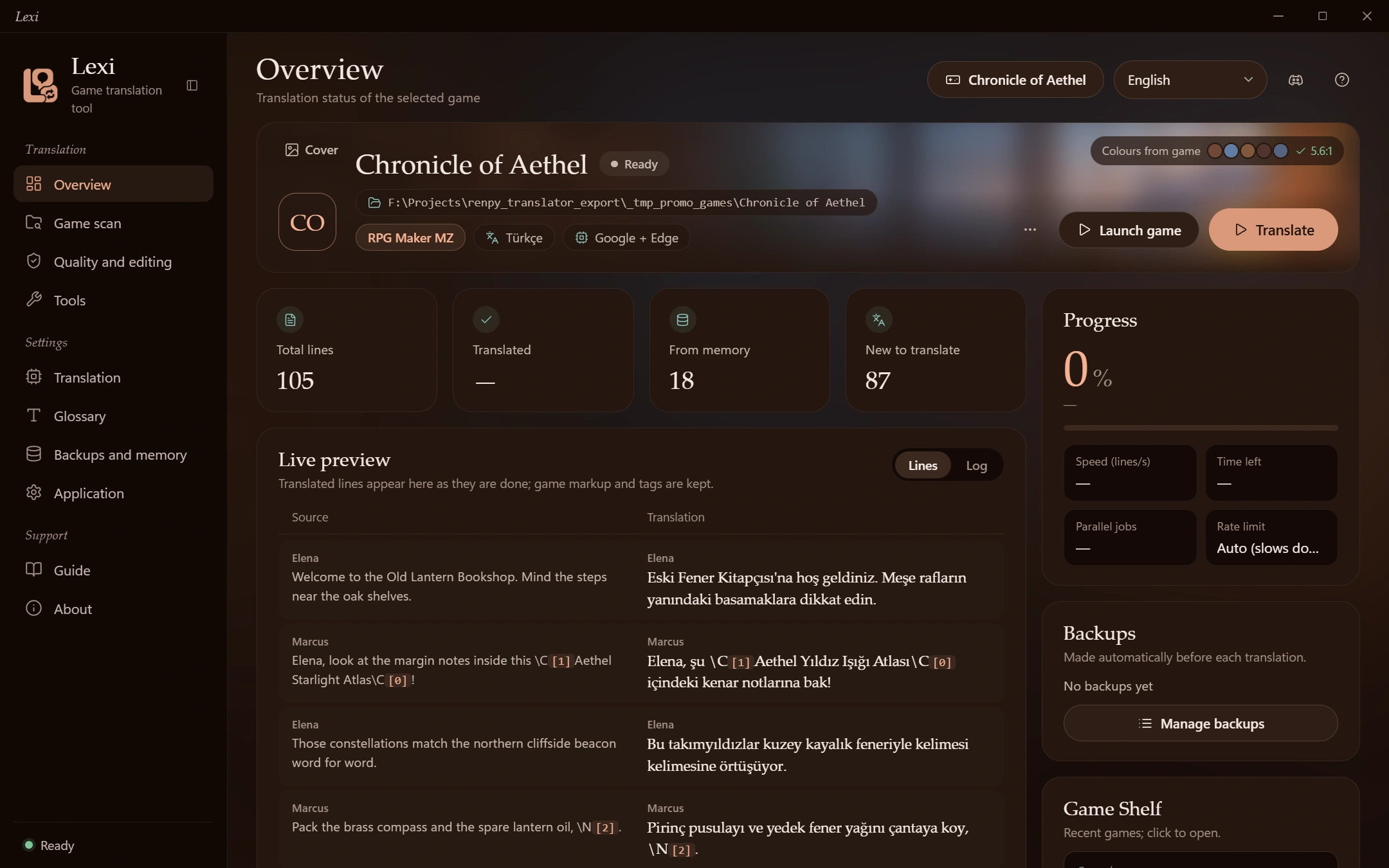
RPG Maker MZ game automatically detected with clean UI in Lexi Game Translator
Fig. 08 / 08Multi-engine detection — RPG Maker MZ detected automatically with clean controls

What is inside

18 Engines
Ren'Py, RPG Maker (2000/2003, XP, VX, VX Ace, MV, MZ), Unity (Mono/IL2CPP), Unreal 4 & 5, Godot 3 & 4, Tyrano, WOLF RPG, KiriKiri, QSP, HTML/Twine, GameMaker, and SRPG Studio.
Autopilot
Automatic plugin setup and Live Bridge for Unity and Unreal games — no manual folder hunting or plugin wiring.
Auto Fonts
Automatic font patch for Turkish, Cyrillic, Japanese, Korean, Chinese, Thai, and Hindi so games show real letters instead of empty boxes.
Names
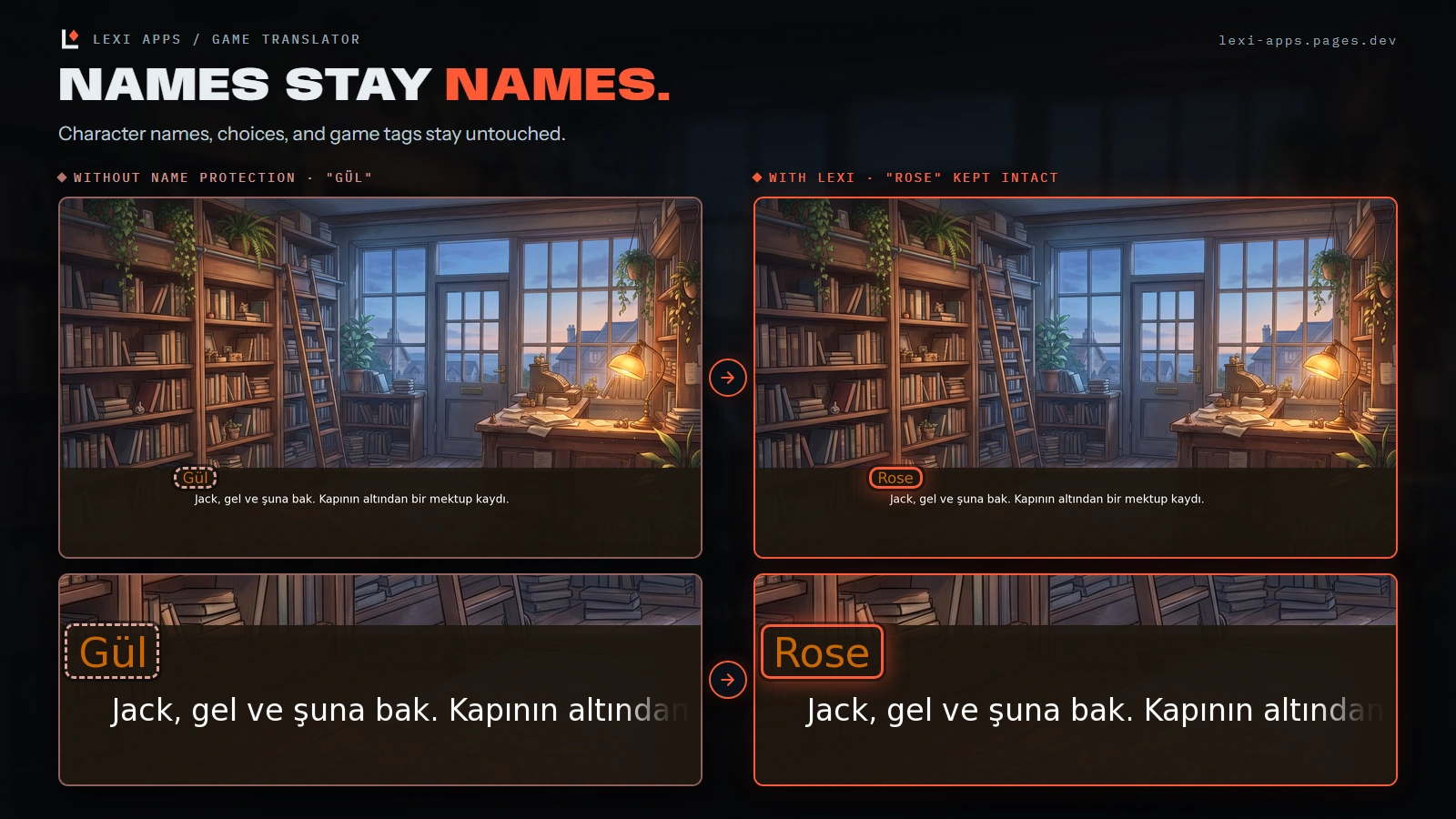
Character names, speaker labels, variables, and markup tags stay protected instead of being translated like ordinary words.
Glossary
Context glossary for locking terms, place names, and recurring vocabulary across your whole playthrough.
Game Shelf
Keep recent games organized with cover art, adaptive palette colors, saved translations, and 1-click launch.
Backups
Automatic snapshot before anything is written to your game folder, with 1-click restore anytime.
Editor & QA
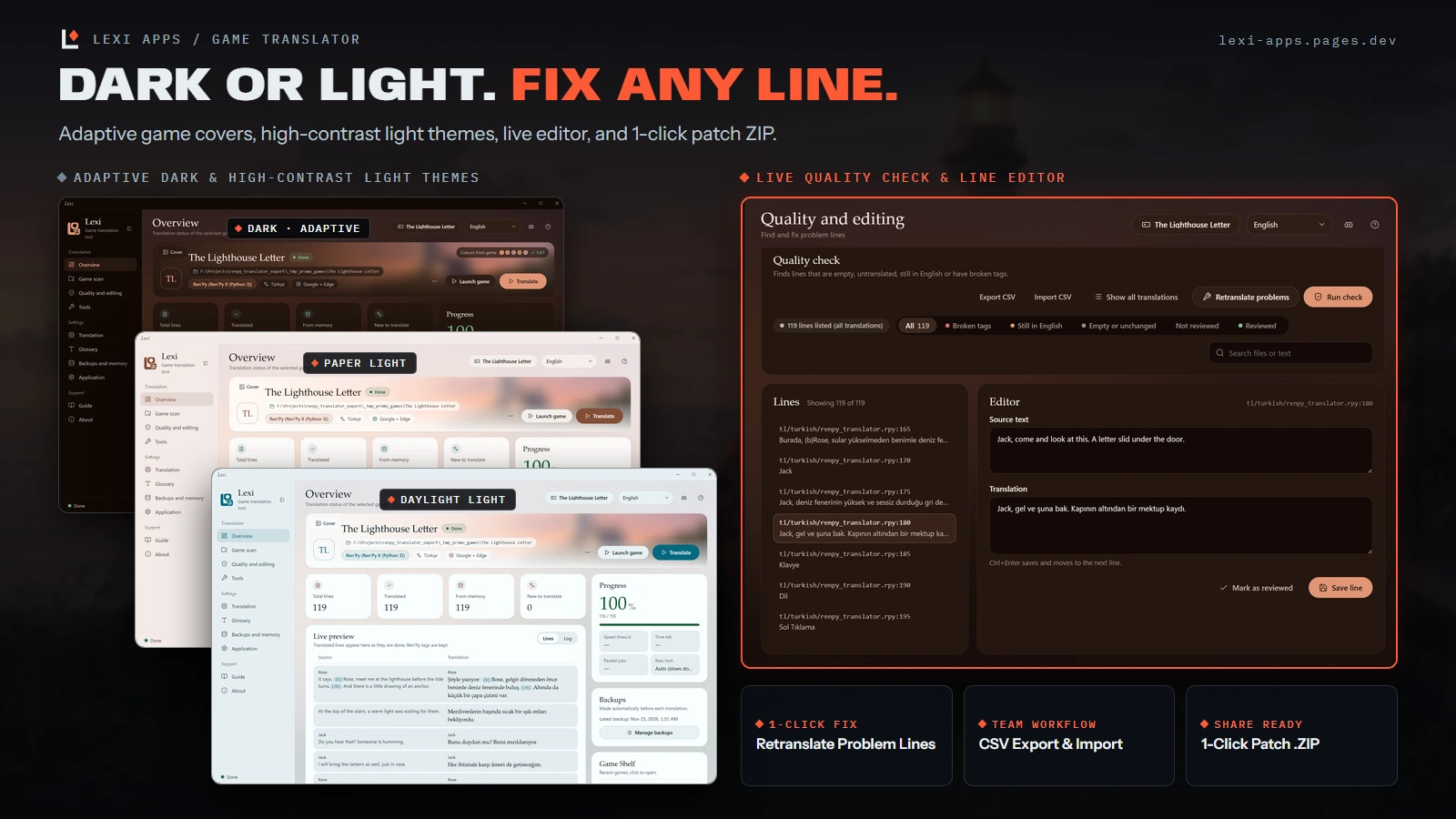
Built-in quality check, 1-click Retranslate Problems, live line editor, CSV import/export, and 1-click shareable patch .zip.
Memory
Built-in translation memory reuses existing lines automatically — when a game updates, only new or changed lines are translated.
Engines & AI
Free built-in chain (Google, Edge, Bing, Yandex) in Basic. Plus adds cloud & local AI (OpenAI, Gemini, DeepSeek, Groq, Claude, Ollama) with strict cost caps.
12 UI Langs
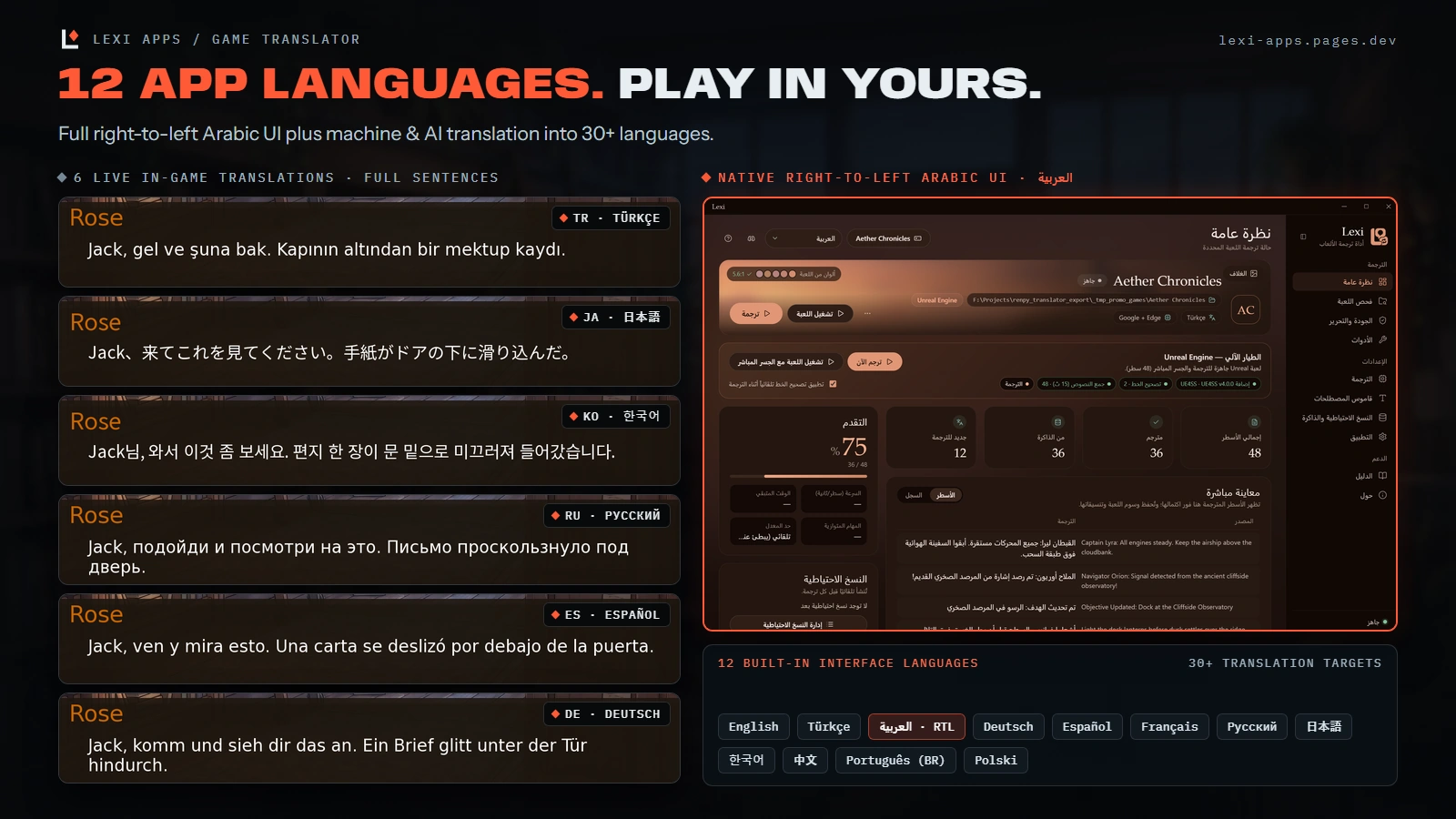
12 interface languages (EN, TR, AR with full RTL, RU, ZH, JA, ES, PT-BR, DE, FR, KO, PL) and translation into 30+ target languages.
Themes
Adaptive dark themes, high-contrast Paper & Daylight light themes, and custom wallpaper backgrounds.

System requirements

Operating system
Windows 10 or 11, 64-bit.
Internet
Needed for the online translation engines (Google, Edge, Bing, Yandex) and cloud AI. Local AI with Ollama runs on your own computer. Privacy Policy
API key (Plus)
Only for cloud AI translation: your own API key. Basic needs none.

Common problems, and where Lexi stands

Broken tags
Protected across engines. Damaged markup tags or variables are flagged by quality checks and retried automatically.
Translated names
Character names are detected and locked automatically so a name like Rose stays Rose instead of becoming a flower.
Empty boxes
Automatic font patching supplies compatible fonts for CJK, Turkish, Cyrillic, Thai, and Hindi scripts.
Complex engines
Autopilot handles BepInEx/XUnity and UE4SS setup for Unity and Unreal titles, while simpler engines keep a clean UI with no plugin clutter.
Interrupted runs
Progress is saved continuously; stopping or closing mid-run lets you resume from the exact line later.
Honest note
Automated translation quality varies by engine, game structure, and language pair — the built-in editor is always ready when you want to refine lines.
PLANS / LEXI GAME TRANSLATOR

Plans, line by line.

Item BasicFree Plus$7 / month Pro$12 / month
Account No account, no sign-in Patreon membership Patreon membership
18 game engines & Autopilot
Machine translation engines
AI translation with your own API key
Lexi credits Coming soon
  • Plus and Pro are Patreon memberships. Sign in with Patreon inside the app.
  • One license = one computer. An optional 3-day Plus trial is available once per computer.
  • Basic never locks when a trial or membership ends — free engines keep working.
  • Prefer a one-time tip without a membership? Use Buy Me a Coffee.

FAQ / GAME TRANSLATOR

Short answers.

Which game engines are supported?

18 engines: Ren'Py, RPG Maker (2000/2003, XP, VX, VX Ace, MV, MZ), Unity (Mono & IL2CPP), Unreal Engine 4 & 5, Godot 3 & 4, Tyrano, WOLF RPG, KiriKiri, QSP, HTML/Twine, GameMaker, and SRPG Studio.

Where do translations go, and can I undo them?

Lexi writes translations in each engine's native format (such as Ren'Py's tl/ folder, RPG Maker data files, or Unity/Unreal Live Bridge files) and creates an automatic local backup beforehand so you can restore in one click.

Windows says “Windows protected your PC”. What do I do?

Click More info, then Run anyway. It appears because the installer is not code-signed yet (code-signing certificates are paid). Always download from our official GitHub releases. Step-by-step guide.

Can I use one Plus/Pro license on two computers?

No. One license = one computer.